Pages

Showing posts with label apps. Show all posts

Saturday, 19 May 2018

Little Stories Pro- App Review

https://creatingcommunicators-mindy.blogspot.ca/2018/05/little-stories-pro-app-review.html

I just found Little Stories Pro. It is from the makers of Little Bee Speech. It is such a great new app. It targets articulation, reading, comprehension, wh questions, sequencing and more! 
 https://creatingcommunicators-mindy.blogspot.ca/2018/05/little-stories-pro-app-review.html

 
I love it 💕 there are stories 100 words and they are categorized by reading level, phonemic target (artic. sound), story title and theme. The pictures are so bright and exciting.


READING AND LITERACY
• Reading Fluency
• Reading comprehension
• Story structure awareness
• Story tradition and genre exploration

RECEPTIVE LANGUAGE SKILLS
• Attention and listening
• Vocabulary acquisition
• Story structure and comprehension
• Question processing

EXPRESSIVE LANGUAGE SKILLS
• Speech production
• Phonemic awareness
• Story sequencing
• Story retelling
• Question answering

https://creatingcommunicators-mindy.blogspot.ca/2018/05/little-stories-pro-app-review.htmlYou can read the stories, read to the student from the app or the student can read it themselves.  There are also flash cards for each story that you can use to practice artic sounds or tackle those tricky words. I like this app for those kids are at carrying over and reading stage. I love that you can work on new vocabulary with the stories, and story retell. It is such a great app that I almost want to use it all day long!


In the app, you can also keep score on their reading, and their articulation errors in the story. So easy!
https://creatingcommunicators-mindy.blogspot.ca/2018/05/little-stories-pro-app-review.html

https://creatingcommunicators-mindy.blogspot.ca/2018/05/little-stories-pro-app-review.html


 I am absolutely in love with the ease of this app! Have you tried it?

 Have you tried it? I’d love to hear your thoughts! Leave me a comment.

Sunday, 26 March 2017

Remind App in Speech!


If you are anything like me, you remember about bedtime the very important "thing" you have to do in the morning! I deal with more than 7 schools, so I am always on the road, and making scheduling changes! Sometimes I am making changes at 6 in the morning because of school closures and no buses- life in Northern Alberta! :)
Anyway...
I have just learned about Remind and what a quick and easy way to send information and connect with parents and teachers thru text! I love it...I can send info to schools reminding them of the days I will be at the school, send images to teachers and aides, as well as parents. I think the parents will love getting updates and ideas for homework send right to their phones...

So what is it?


Remind is a free text messaging app that helps teachers, students, and parents communicate quickly and efficiently. 
Fast: Messages are sent in real time to an entire class, a small group, or just a single person. You can also schedule announcements ahead of time and attach photos and other files.
Accessible: With Remind, you can send text messages straight to any phone, including flip phones. To reach every family, translate your messages into more than 70 languages before you send.
Effective: Use delivery receipts to see who's reading your messages. If you're organizing an activity like a field trip or event, use Remind to manage the activity and collect funds.


I am using Remind to send out reminders and info to parents and teachers of the schools I work for!
If you have questions about how to join one of my lists email me at mindy@creatingcommunicators.net!


Tuesday, 26 July 2016

Heads Up!!

Heads up for Speech!


First of all don't forget to enter my rafflecopter giveaway here!!!
Recently, my kids purchased this app on my phone and I thought what a great idea for speech therapy.  You can use this app for older kids to act out or describe different terms.  It's a great way to get some vocabulary going. 


There are so many categories! There are sure to be something that will work for any kid on your caseload! And there are categories that are just for kids-- PERFECT!! :)


 1 person place the phone on their head and the other person acts out or describes the word on the phone and their partner tries to guess.  You tilt the phone if they got it right or if you want to pass it. At the end it tells you how many you got correct. The only down side of this app is it needs to be played with a player that can read so it has to be with your older kids on the caseload. This is basically a more technological way to play Head Banz.


The other plus to this game is that its a great way to end a session and you can use it if you've forgotten reinforcement but haven't forgotten your phone ;)


Friday, 12 June 2015

What Doesn't Belong - App Review

What Doesn't Belong - App Review

Fun deck has an app that targets the vocabulary goal by working on associations.


There are many pictures that have 2 or 3 related items and the child chooses the item that isn't related.  Then the child can then explain how the items are related.


 You can customize the game for the child's skill level- 2 or 3 items.


At the end of the session you are able to see their results and see if they have made improvements over time.
The app then creates a PDF report that you can email! 
Love this app!! 
Thanks Fun Deck by Super Duper!!


Cheers,
Mindy 


Friday, 5 June 2015

Phonological Awareness -App Review

Phonological Awareness- App Review


This is an app review for Phonological Awareness from Autism iHelp.

The first thing about this app is that it only targets rhyming words. It should be called rhyming words and not phonological awareness as it only works on one area of phonological awareness. This was disappointing to me!


It shows a picture, with an audio prompt, and then the student chooses the one that rhymes from 2- 4 pictures. You can customize it for each student, which I also like. I like that it can show a few examples and doesn't make it too easy for the kiddos.


It has a lot of things you can customize and you also get a progress report, which makes it really user friendly.
This app is also free but for $2.99 you can unlock all of the rhyming words. What phono app do you like?
Cheers, 
Mindy

Sunday, 31 May 2015

Thngs That Go Together- App Review


I love this app! This is the app I use to start off my vocabulary goal. It is an easy app for younger children to understand and work on associations. The first thing I love is the 
price- $1.19!! Cheap!!


It starts off with 2 pics and works up from there. It gives audio hints that labels items once you touch them. For me, I always turn this off just to make it a little more difficult and add another step for the children. I get them to label each item and then I get them to explain why the items go together. 

in their words... there is now a "Tile Magnet" option so you can now turn the automatic tile magnet ON or OFF. The tile magnet automatically snaps pieces in their place. This is great for toddlers with little fingers but now you can turn this off if you are ready to take your matching skills to the next level.


The app works up to 6 pictures...

and then 8.


Customize-
You can choose which pictures/tiles you want to use and if a child has targeted certain pictures you can by pass those tiles on their next session.  You can also choose the amount of items you want them to work on. If 8 is overwhelming or too difficult for some children you can customize to only use 2 or 4 tiles. For older students you can start at 8 tiles, because 2 may be too simple.

The only thing I don't like about this app is it doesn't take data.


Cheers, 
Mindy

Friday, 27 March 2015

iHelp Comprehension App Review

App Review
This app is used for following directions and comprehension!


The comprehension 1 gives directions that incorporate shapes, and on/off. It is a free app but you can purchase all of the sets for $2.99 in each of the Comprehension 1 & 2. 

This app gives you a very short progress report that gives you a percentage of how many on and how many off were correct.

The think that I don't like about this app is the variances in level of concepts. On and off are much easier than shapes. Some of my kids are so little that they don't know all of their shapes but do know on and off. And with Comprehension 2 they children know how to place things in a square but don't know right and left, and aren't developmentally ready to know it. I wish they used concepts that are paired in age of acquisition.
In conclusion-I would use this free app but I don't think it will work for every child in every situation.


Monday, 16 March 2015

Articulation station


Articulation Station

I'm not sure if you've noticed but Articulation Station by Little Bee Speech added phrases!
I love it! You can choose your phrase to be the same or as your child progresses you can rotating phrases! The kids love it!


The pro-version is $49.99 or you can purchase individual sounds!


iPhone Screenshot 1

I love artic. Station and I want to hear your feedback in my comments area!
Let me know what you think??
Cheers,
Mindy

Friday, 13 March 2015

Basic concepts skills screener

Apps, apps and more apps! I love my ipad for therapy because it makes my bag so much lighter! Plus the kids love to use it too!  But did you know that it can also be used for testing....?
Recently I purchased the Basic Concepts Skills Screener app and I was very happy with it. It tested many of the common concepts receptively that my kiddos need to be tested. The test includes 4 concept types- comparative, quantitative, spatial, and temporal. BCSS offers 2 versions, the full screen with 79 items or a quick screening with 30 items!

It has really clear, simple pictures! The student touches the correct picture after the audio prompt. For each answer the student receives auditory and visual feedback regardless if they chose the correct answer or not. You can also write information in the notes area that will go in the final report. Another thing I like is if the child changes their mind, the last picture they touch before you select the next button is the answer that is "counted". Great for quick answers or if the child changes their answer. 


 The information or report part of the screen is simple yet very inclusive. It has all of the pertinent information and it is all displayed in clear simple way. 


This app provides a report which includes a summary of the child's performance. In the report it includes which concepts were correct, which were wrong and which were not tested. Also included is the raw score, and the concepts that are emerging. It includes a 20 page manual, and video tutorial. You can then send the report it via email, and open it in TRC or in iBooks. 
This makes report writing and progress monitoring for SLP's a lot easier! This app is great and it only costs $28.99 which compared to some other testing materials is super cheap! 
 
This app is a Smarty Ears app by Darlene Nething, MS, CCC-SLP and Mary Huston, MS, CCC-SLP.
I would love to hear your feedback on this app and if you have any great testing apps that you use.


Cheers,
Mindy


Friday, 5 September 2014

Articulation Test Center from Little Bee Speech

Hey Everyone!

September means two thing for most of us... back to school and screens/assessments! I recently found this cool app that I can use on my iPad to screen articulation. I love that I won't need to lug my big bag and paraphernalia around I will just need my iPad! I recently purchased it and it is on sale this month for 50% off! Great deal!
I have used the Articulation Station from Little Bee Speech and really loved it-check out my post on that app, so I thought I would take a closer look at this app. I was right, I really liked it! I can't wait to use it more. Here is what I thought....


This is what the first page looks like. First, you choose either the screen or full test. For this post I will just be speaking about the screen-  stay posted for my feedback on the full test...


Next you choose the child's age.


Now is when you add in some of the child's information- name, birth date, school, etc. And then you start with test cards (pictures). The green letters are the sounds that are being tested. If there are no errors you leave them green, if they are wrong you tap the letter/sound and it will change to red to indicate an error, or yellow to show an approximation. 
During the test you are also able to record the child and you can also make notes in the "notes" area. This is a great feature when you see 50 kids a day and can't remember little things and need to go back to it.


When you are finished all of the test cards  it will show you that you are finished.


At the end it will show you the results of the child- the words that were tested, what errors they made (and the position the errors were made), a report which you can email, and then there is a recommendation area that show which sounds they should be making for their age/development.  I love this! It is basically idiot proof (not to be offensive!) :)


If you are really pressed for time you can look at the recommendations
tab and then look at the errors and make goals from there! Easy! 
Disclaimer** recommending and preparing goals is the role of a Registered Speech 
Language Pathologist, not a Speech Language Assistant.


This app also has a report that you can email to yourself (if you are out of the office) or another professional! No more lengthy reports, it's already completed for you! Yay! It doesn't really get any easier than that!
I will be starting to work at my schools and I can't wait to get going with this app. This is the app I have chosen for all of my artic. screenings. And don't forget it's 50% off during the month of September! Who wouldn't love that?

Check out Little Bee Speech for some other great free resources! Thank you Little Bee Speech, you haven't let me down yet!

Happy Screening, and Assessing!!
Mindy

Sunday, 5 January 2014

Speech Therapy and Technology!

Happy Sunday!

This post contains affiliate links.

I wanted to give you all some tips to save time and make life easier so I looked into some "tech" things to lessen your load (at work at least!) Now keep in mind I am not a tech guru. I have a hard enough time with my blog, Facebook page and creating materials! I want to know how everyone does it!? lol But I do love things that make my job a little easier so I went looking for some information on "tech stuff" and apps that are all in one place to help you out.

First of all here is a little blurb from ASHA on their list of advantages of using mobile devices and Apps.

Here is what I came up with:

For Childcare Providers:

Healthy Beginnings- this is a great website. You just click on the age of the children you are working with and it will tell you ideas to get language going and activities to go with them! Yes, that's right- activity planner, downloads, and developmental charts.  This site is so cool and foolproof!


 For SLPs and Assistants


  • SpeechPathologyApps has a great list of apps for SLP's, parents, reading, early intervention and more. Check out their site.
  • Pocket SLP has some really great apps! I personally love and use Category Carousel and One Step Two Step. Go give it a look and I am sure some of their apps will save you time.
  • The Speech Techie has a nice list of apps and other information on interactive technologies you can use for language.
  • icommunicate has some info on how to use iPad Air and tablets to promote communication and education.
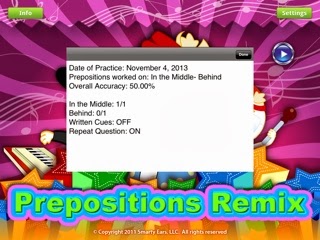
  • Smarty Ears has some really good apps. I like preposition remix- I use it  a lot to teach concepts and following directions. 
  • The Virtual Speech Center has some great apps! I have used Magical Concepts and Expedition with Plurals. I liked them both! Expedition with Plurals was really great at targeting the goals both receptively and expressively.
  • Pinterest has so much on it- here are some great boards you can take a look at SLP Apps, and
  • Speech Therapy Apps just to name a few.


I hope this lightens your load for 2014!


IF you have a minute to spare check out my 
Cheers,
Mindy